

.svg)






 FileGrant
 RemoteGrant
 Connector
 AIGrant
 EmailGrant
 SecretGrant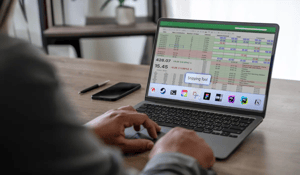
Screen capture is a data exfiltration channel that most security tools leave ungoverned. During video calls, screen sharing, and online collaboration, a confidential document can be captured with a simple screenshot or recording. The perimeter model does not intercept these cases, because nothing about them looks like an attack: they are legitimate operations performed in the wrong place.
A screenshot taken during a call leaves no trace in the firewall logs. It raises no alert. It crosses no channel a perimeter defense knows how to read. And yet, in that one action, a confidential document has just left the company.
Any document visible in a video call, a screen share, or an online workspace can be captured with a screenshot, a screen recording, or a photo taken with a phone. The perimeter model does not catch it. What it sees is a legitimate operation performed in the wrong place, by someone who is authorized to open the file.
Key takeaways
- Screen capture of confidential documents (screenshots, recordings, phone photos) is an exfiltration channel that perimeter defenses do not treat as a threat: whoever captures the file is already inside, cleared to view it.
- Native meeting-platform controls protect the meeting, not the file. Microsoft Teams Premium blocks screenshots only on Windows desktop and mobile; on macOS, browsers, and virtual desktops participants drop to audio-only, and the organizer needs a Premium license.
- Google Meet offers watermarking, not blocking. The watermark deters and traces, but a screenshot still works.
- Once the file leaves the call, downloaded or opened elsewhere, session protection does not follow it. The document is exposed again.
- The file-centric approach moves protection inside the document: encryption at creation, application-level capture blocking, dynamic watermarking, post-sharing revocation, audit trail.
- For a CIO or a CTO the real choice is where protection lives: in the collaboration platform or in the asset itself.
Why does screen capture slip past the perimeter model?
Perimeter defenses look for intrusions and exit channels: a suspicious upload, a USB stick, an attachment headed to an external domain. A screenshot fits none of these categories. It happens on the screen of someone who has permission to open the document, inside an authorized session. The file passes through no inspectable gateway.
In its 2026 report on cybersecurity in the frontier AI era, ENISA urges security architectures to adopt an "assume-breached" posture, treating every environment as potentially already compromised, with defenses that reach beyond the perimeter. Screen capture is the clearest example of that logic. The exposure does not come from outside. It comes from a legitimate use of the document, from within.
Anyone who designs security knows it: the hardest blind spot to close is the one that coincides with a permitted operation. For more on the shift from perimeter to data, see Beyond the perimeter: file-centric DLP.
Why aren't native Teams and Meet controls enough?
Microsoft Teams Premium introduced screen capture prevention. The limit is coverage. On Windows desktop a screenshot returns a black rectangle around the meeting window; on iOS and Android capture is blocked; but on macOS desktop, web browsers, and virtual desktops participants join in audio-only mode, and the feature requires a Premium license for the meeting organizer (Microsoft documentation).
Google Meet added watermarking in October 2024. The watermark overlays the participant's identity to discourage leaks, but it does not stop a screenshot, and image-editing software can remove it (Google Workspace Updates).
Both tools share the same architectural limit: they protect the session, the screen-sharing stream, not the document. Once the file is downloaded or opened outside the platform, it is vulnerable again. The control stays tied to the collaboration tool, not to the asset you want to protect.
What does protecting the document instead of the session mean?
This is the logic of file-centric DLP, or DLP 2.0. Protection lives inside the file and follows it wherever it goes: on the PC, in the cloud, at a third party, on a non-corporate device. The document is encrypted the moment it is created, not secured after the fact. From that point on the policies travel with it and take priority over the actions of whoever opens it.
For anyone designing the security architecture, the gain is measurable in dependencies removed: protection no longer depends on the meeting platform in use, on the recipient's operating system, or on the number of licenses purchased. It follows the data. Cases like the ones described in Booking, Eataly, Trenitalia: why stolen data was readable show what happens when this protection is missing and the content stays readable once it leaves.
How to block screen capture of confidential files in 5 steps
Effective anti-capture protection is built in layers, each one acting on the document rather than on the session. Here is how it comes together.
- Encrypt the document at creation. File-centric protection starts here: the file is born encrypted, and the encryption follows it wherever it goes, inside and outside the corporate network. There is no window in which the document sits in cleartext and exposed.
- Block capture at the application level. A proprietary viewer opens the document in protected mode and stops screenshots, screen recordings, and unauthorized screen-sharing tools, regardless of the video-conferencing platform. It works during Zoom, Meet, and Teams sessions and across any format: PDF, Office documents, images, video.
- Add dynamic watermarking. Software blocking covers digital captures. What remains is the photo taken with a phone against the screen, which no software can stop. Dynamic watermarking prints identifying data such as the user's name onto the document and makes every copy traceable back to its source.
- Set permissions and classification. RBAC permissions decide who can view, edit, or download each document. Automatic classification by the private AI applies security tags based on content, such as "no screenshot" or "no download", which take priority over the user's actions.
- Keep control after sharing. Real-time revocation and automatic expiry close access even after the file is sent. The audit trail records every open, with who, when, and from which device, the visibility you need to spot anomalous behavior before it turns into an incident.
Where does quantum-safe encryption fit in?
Capture blocking protects what is on the screen. Encryption protects the file as it travels or is downloaded. These are two different layers of the same problem, and the second one looks far into the future.
A confidential document intercepted today is not only worth something today. Whoever obtains it can store it and wait, following the "harvest now, decrypt later" logic: archive the encrypted files now, decrypt them once a quantum computer is available. This is why file-centric protection relies on quantum-safe encryption. CyberGrant uses the CRYSTALS-Kyber algorithm, recognized by NIST as a post-quantum standard (FIPS 203, ML-KEM, August 2024). A file exfiltrated as a file stays unreadable without authorization, today and against future computing power.
How CyberGrant addresses screen capture
CyberGrant applies this approach with FileGrant. Screenshot blocking during video calls and screen sharing runs through the proprietary viewer, which detects and stops capture tools, recorders, and unauthorized screen-sharing software regardless of the video-conferencing platform. Alongside it work dynamic watermarking, anti-AI scraping that prevents public generative AI systems from extracting the content, quantum-safe CRYSTALS-Kyber encryption, instant revocation with programmable expiry, and a complete audit trail. Document classification is handled by the private AI in AIGrant, which assigns security tags by reading the content.
FileGrant sits alongside the systems you already run. It coexists with Microsoft 365, SharePoint, and OneDrive and adds the missing protection to files already in place, without changing your workflows. It does not replace the collaboration platform. It adds the vault the platform was missing.
Want to see screen-capture blocking on a scenario like yours? Request a personalized demo.
FAQ on screen capture of confidential documents
Can screenshots of a document be blocked completely?
Software blocking stops captures made with digital tools: system screenshots, screen recorders, screen-sharing utilities. No system can stop a photo taken with a phone against the screen. For that case, dynamic watermarking adds traceability, because the copy carries the identifying data of whoever produced it. The combination of software blocking and watermarking covers both scenarios.
Can a file be protected even after it has been shared?
Yes. With the file-centric approach, protection stays active after the file is sent. Access can be revoked at any time, and the document becomes unreadable for anyone no longer authorized. You can also set automatic expiry dates that close access on a chosen date, even while the recipient is viewing the file.
What is the difference between Google Meet watermarking and file-level blocking?
Meet watermarking overlays the meeting participant's identity to discourage and trace leaks, but it does not prevent capture. File-level blocking acts on the document itself: it stops the screenshot at the application level and stays with the file even outside the call, when it is downloaded or opened elsewhere.
Is anti-capture protection compatible with SharePoint and OneDrive?
Yes. A file-centric solution sits alongside Microsoft 365, SharePoint, and OneDrive and adds screenshot protection, persistent encryption, and post-sharing revocation to files already in place, without changing existing workflows.
What does quantum-safe encryption have to do with screen capture?
Capture blocking protects what is on the screen. Quantum-safe encryption protects the file as it travels or is downloaded. A confidential document intercepted today can be stored while attackers wait for quantum computers, following the "harvest now, decrypt later" logic. The CRYSTALS-Kyber algorithm, a NIST FIPS 203 standard from August 2024, keeps the file unreadable without authorization, even against that future computing power.
What does the GDPR require for document protection?
Article 32 of the GDPR requires technical measures appropriate to the risk, including encryption, access control, and traceability of operations. Encryption, RBAC, and an audit trail meet this requirement and also support the traceability obligations set out by NIS2 and DORA for sensitive data.